Free tool
WebM to MP4 Converter
Change a WebM video to MP4 so it plays on phones and in editors.
- No upload
- No account
- No watermark
- No credit card
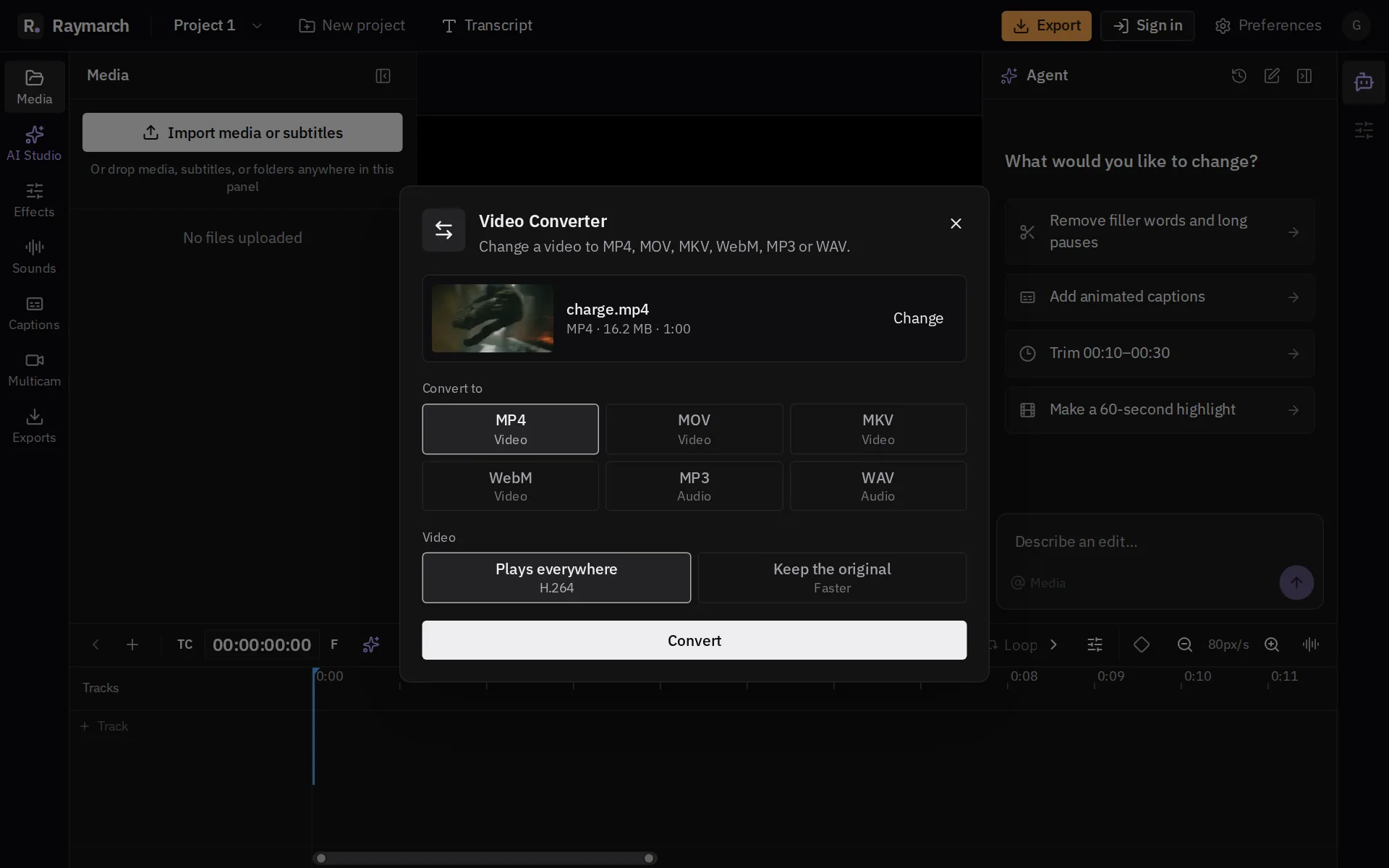
How it works
Convert WebM to MP4 in 3 steps
- 01
Choose a WebM file
Drop the video into the panel.
- 02
Keep H.264
H.264 MP4 plays almost everywhere.
- 03
Download the MP4
Click Convert. The file goes to your Downloads when it is ready.
Then keep editing
The full editor is right behind the tool
Click Edit in Raymarch, and your file goes on a real timeline. Cut it, add titles, captions and music, and export to MP4, MOV, MKV or WebM. The editor is free.
See the timeline editor
Frequently asked questions
Why convert WebM to MP4?
Some phones, apps and editors do not open WebM. MP4 with H.264 opens almost everywhere.
Is this tool free?
Yes. There is no account, no credit card, no watermark and no limit on the number of files.
Do you upload my file?
No. Your file stays on your computer, so even a large file starts right away.
Which browsers work?
Chrome and Edge on a computer work best.
More free tools
Convert WebM to MP4 now
No upload · No account · No watermark · No credit card