Audio
An audio mixer, sound effects and multi-track files
Mix your audio in the same editor. Raymarch also plays audio formats that browsers usually cannot play.
Free in the editor
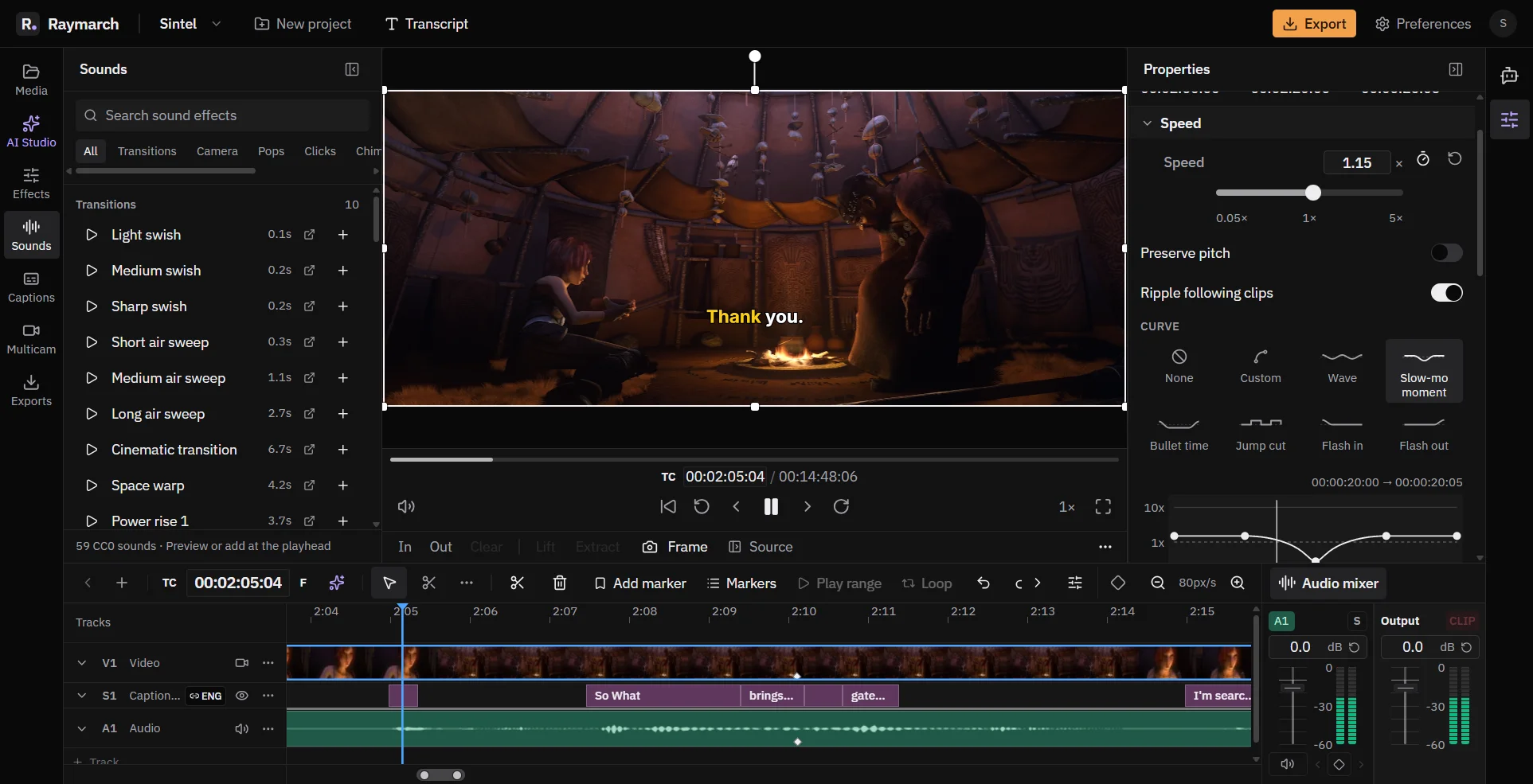
- Mixer
- Faders, meters, mute and solo for each track.
- 59 sounds
- Free sound effects that need no credit.
- Dolby and DTS
- Plays surround audio from films and cameras.
Mixer
Mix every track
Open the mixer from the Audio mixer button on the timeline. Each track has its own strip.
- A fader with a dB value that you can type.
- Stereo level meters.
- Mute, and solo for preview.
- Buttons to add and move between volume keyframes.
- An Output strip with its own fader, meter and a light that shows when the level goes over 0 dB.
Volume
Volume keyframes and fades
Clip volume can have keyframes, so you can lower music under speech. Right-click a clip and choose Fade in or Fade out.
Sound effects
59 free sound effects
The Sounds panel has 59 sound effects under the CC0 licence. CC0 means that you can use them in any video with no credit.
- Groups: Transitions, Camera, Pops, Clicks, Chimes, Digital, Impacts and Foley.
- Search, listen and add a sound at the playhead.
Tracks
Files with more than one audio track
Some files have more than one audio track. Examples are a film with two languages, or a screen recording with a separate mic track. Choose the track in the Audio Track menu of the file. The choice applies to every clip from that file.
Formats
Surround and other formats
- Plays Dolby Digital (AC-3), Dolby Digital Plus (E-AC-3) and DTS, including DTS-HD MA.
- Mixes 5.1 surround down to stereo with the ITU BS.775 method. This is the standard way to mix surround sound for two speakers.
- Converts a few rare formats, such as TrueHD, when you import the file.
How it works
How to lower music under speech
- 01
Add the music
Put the music on its own audio track.
- 02
Open the mixer
Click Audio mixer on the timeline.
- 03
Add keyframes
Add volume keyframes where the speech starts and ends.
- 04
Set the levels
Lower the music between the keyframes. Check the Output meter.
Use cases
What you can make with it
Music under speech
Volume keyframes on the music track.
Sound design
Swishes and pops on cuts and titles.
Films and Blu-ray rips
Dolby and DTS audio that plays in the editor.
Screen recordings
Choose the mic track or the system sound track.
Specifications
Details
- Mixer
- Fader, dB entry, stereo meters, mute, solo for preview
- Volume
- Keyframes and fades
- Sound effects
- 59, CC0 licence
- Surround
- Dolby Digital, Dolby Digital Plus, DTS, DTS-HD MA
- Downmix
- 5.1 to stereo, ITU BS.775
- Audio export
- M4A (AAC), MP3, WAV, Opus
- Plan
- Free
Frequently asked questions
Can I use the sound effects in my videos?
Yes. They are CC0, so you can use them with no credit.
Is there a pan control?
No. The mixer has volume, mute and solo for each track.
Does solo change the export?
No. Solo is for preview only.
Can Raymarch play DTS audio?
Yes. Raymarch plays DTS, including DTS-HD MA, and Dolby Digital.
Related features
A free online video editor with a full timeline
Raymarch is a non-linear video editor in your browser. Edit on many tracks with professional trim tools and keyframes.
Free in the editor
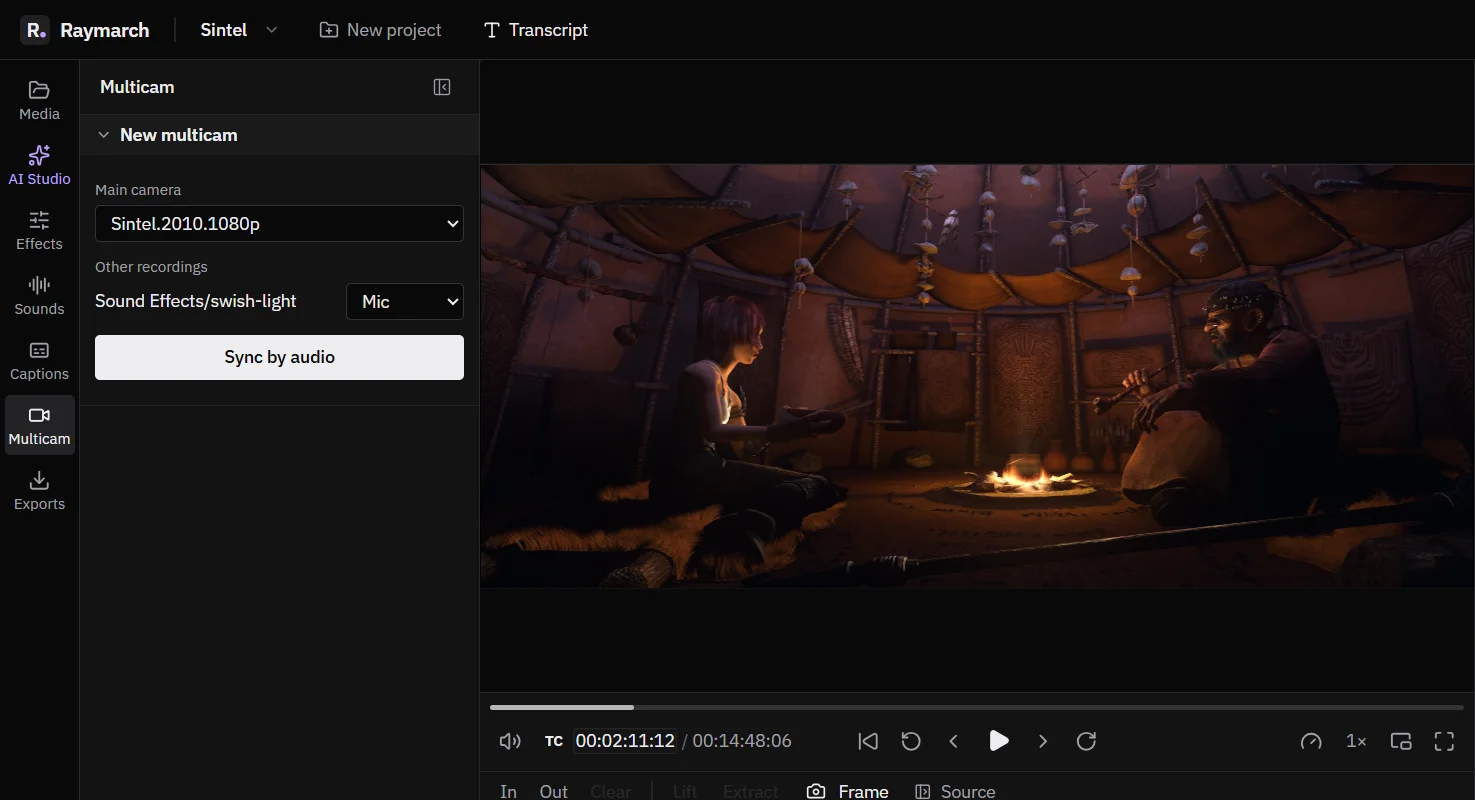
Multicam editing for podcasts and interviews
Sync your cameras and mics by their sound. Then cut between angles with one key while the video plays.
Free in the editor
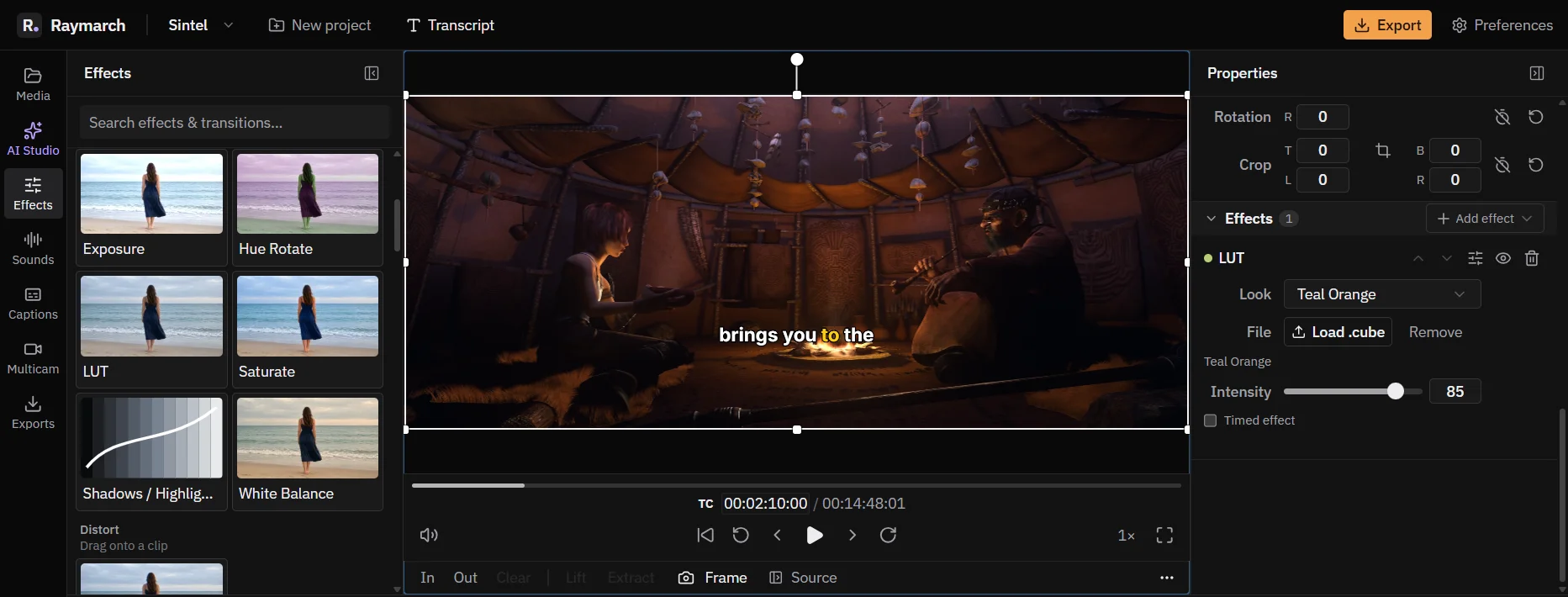
Effects, colour looks, transitions and speed ramps
Change the look and the timing of a clip. Every effect value can have keyframes.
Free in the editor
Start editing in your browser
The editor is free. No download is necessary.