Captions
Automatic captions with word highlights
Make captions from the transcript in one step. Style them, animate each word, and export them.
Pro plan
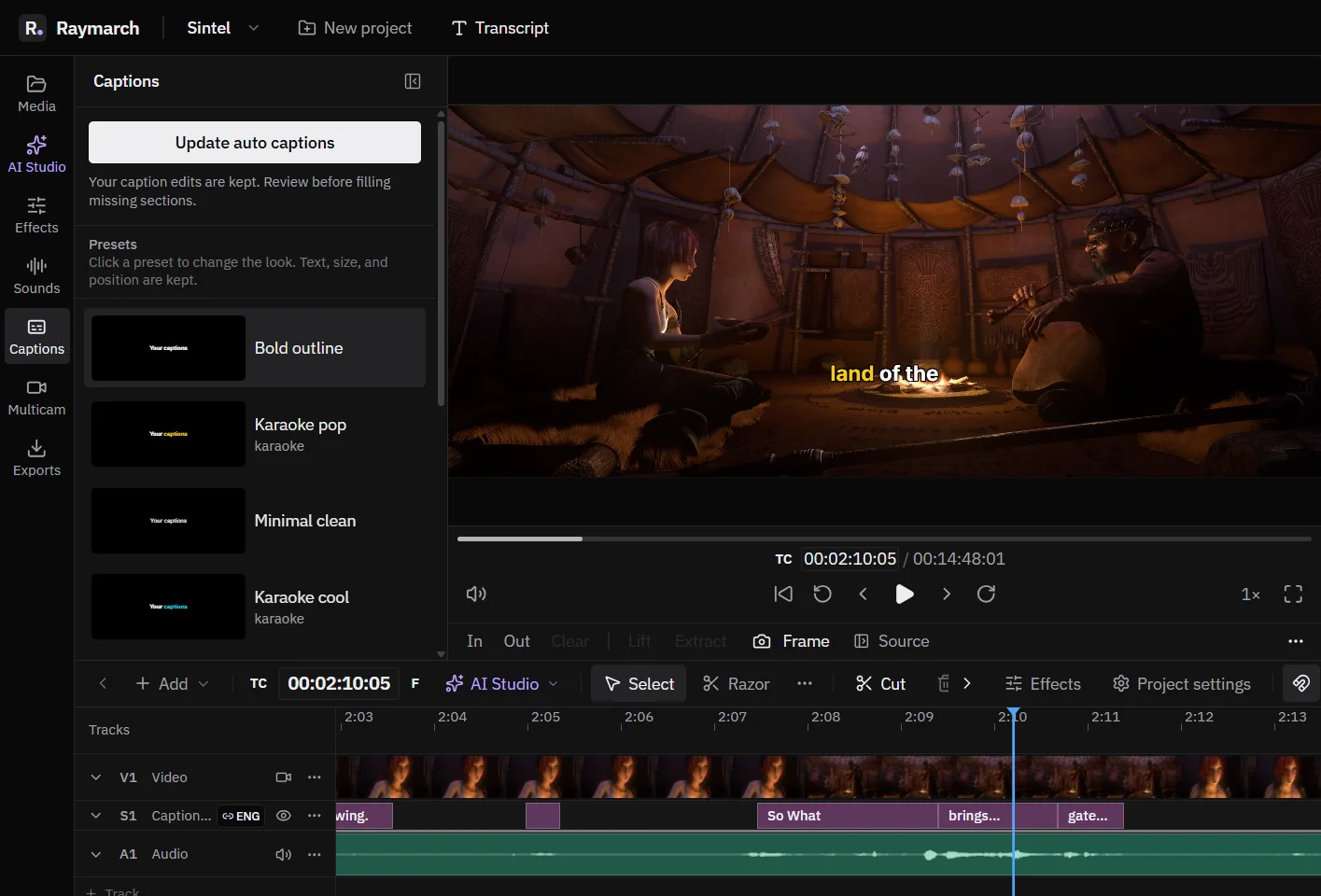
- One step
- Captions come from the transcript.
- 5 templates
- Including two karaoke styles that highlight each word.
- SRT and WebVTT
- Burn captions in, or export a caption file.
Templates
Start from a template
There are 5 templates: Bold outline, Karaoke pop, Minimal clean, Karaoke cool and Clean shadow. The karaoke templates highlight each word when it is spoken.
Style
Change every part of the style
- Fill colour, outline and outline width.
- Shadow.
- Font, size, weight and italic.
- Alignment, position and rotation.
- Highlight colour for the spoken word.
Timing
Short lines that are easy to read
By default, a caption line has at most 4 words, 20 characters or 2 seconds. Raymarch makes all lines in one step, and one Undo removes them.
Animation
Animate captions and text
Captions and text can animate in with Fade, Slide from 4 directions, Pop, Typewriter or Word by word.
Export
Burn in, add a track, or export a file
- Burn in: the captions become part of the picture. This is the default.
- Subtitle track: viewers can turn the captions on or off. This uses an MKV file.
- Caption file: SRT or WebVTT. These are plain text caption files that YouTube and most players accept.
Import
Use captions that you already have
Import SRT and other subtitle files. Raymarch also reads subtitle tracks inside a video file. The AI agent can rewrite or translate captions and keep the timing.
How it works
How to add captions to a video
- 01
Transcribe
Transcribe the video in the language that is spoken.
- 02
Pick a template
Open the Captions panel and click a template.
- 03
Adjust the style
Change the font, colours and position.
- 04
Export
Export with burned-in captions, or export an SRT file.
Use cases
What you can make with it
Short vertical videos
Large karaoke captions for viewers with the sound off.
YouTube
An SRT file for YouTube subtitles.
Accessibility
Readable captions for viewers who cannot hear the audio.
Other languages
Translated captions with the same timing.
Specifications
Details
- Templates
- Bold outline, Karaoke pop, Minimal clean, Karaoke cool, Clean shadow
- Line limits
- 4 words, 20 characters or 2 seconds (defaults)
- Animation
- Fade, Slide, Pop, Typewriter, Word by word
- Export
- Burned in, MKV subtitle track, SRT, WebVTT
- Plan
- Pro for automatic captions
Frequently asked questions
Can I export an SRT file for YouTube?
Yes. Export the captions as SRT or WebVTT.
Do captions highlight each word?
Yes. The karaoke templates highlight each word when it is spoken.
Can I edit the caption text?
Yes. Each caption is a clip on the timeline. Change its text and timing.
Which plan do I need?
Automatic captions come from the transcript, so they are part of the Pro plan. Imported caption files work in the free editor.
Related features
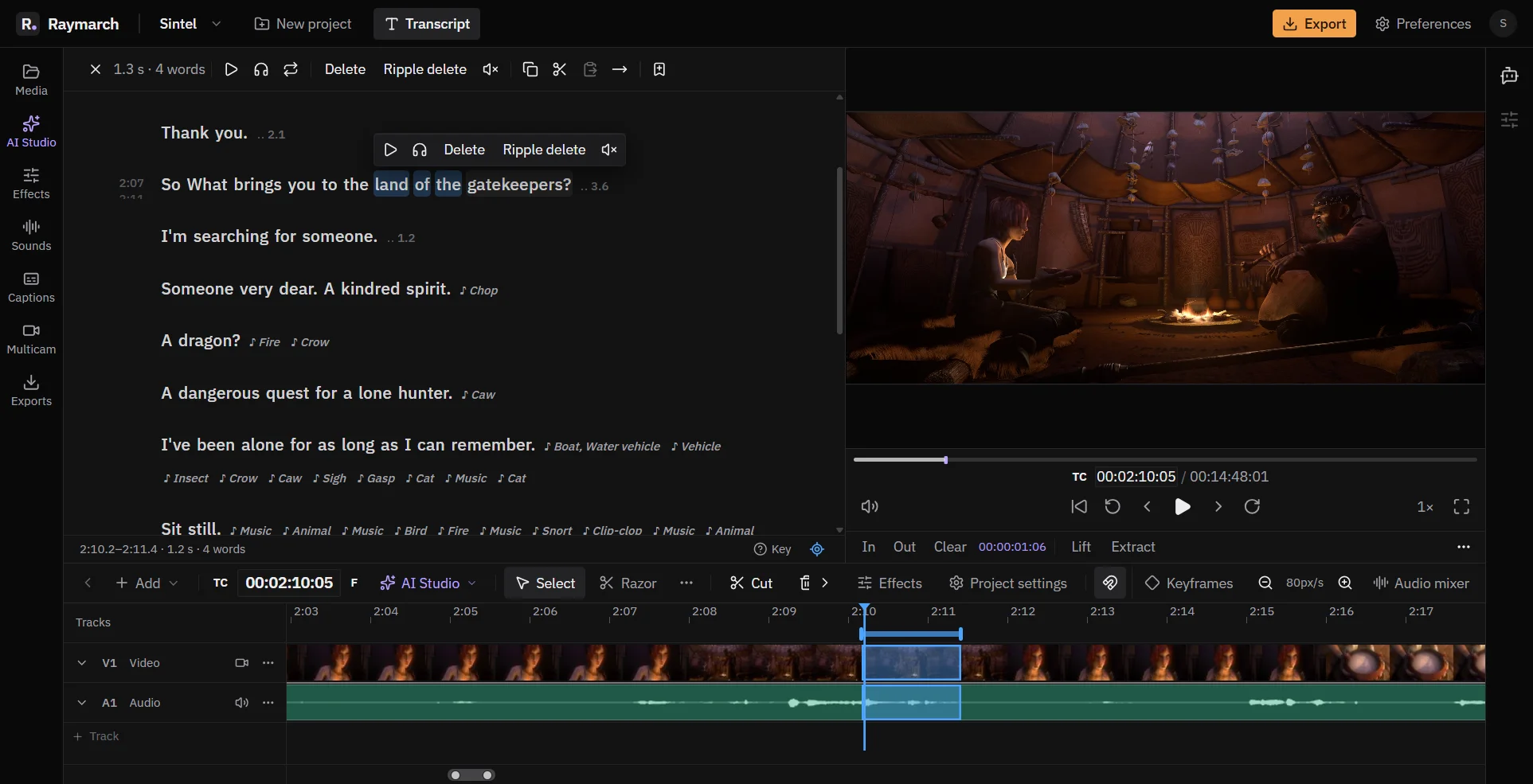
Edit video by editing the transcript
Delete words in the text, and Raymarch cuts the same moments from the video. It works on long recordings from your computer.
Pro plan
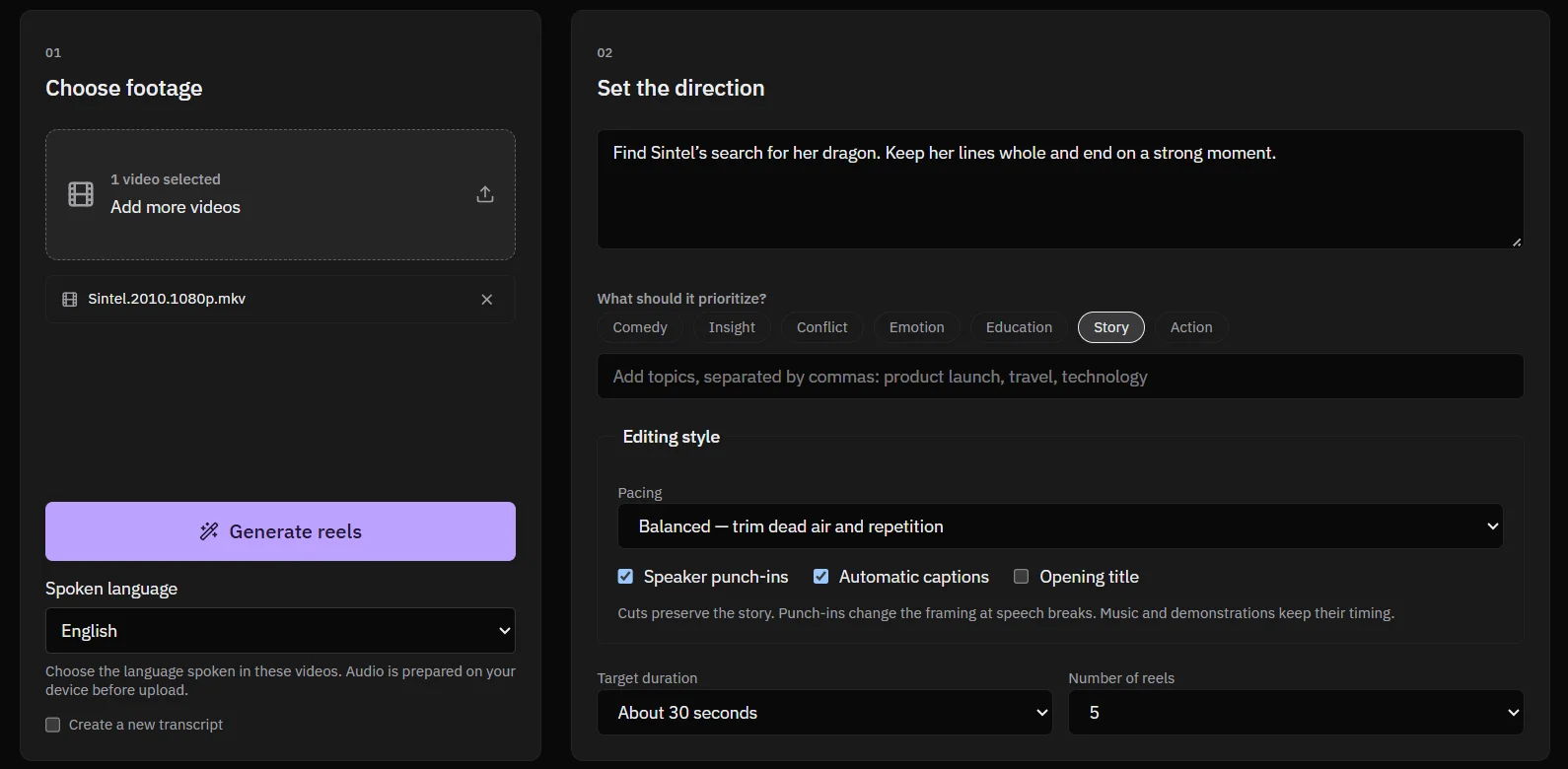
Turn long videos into vertical reels
Give Raymarch a long video and a short brief. It finds strong moments and makes 9:16 reels that you can edit.
Pro plan
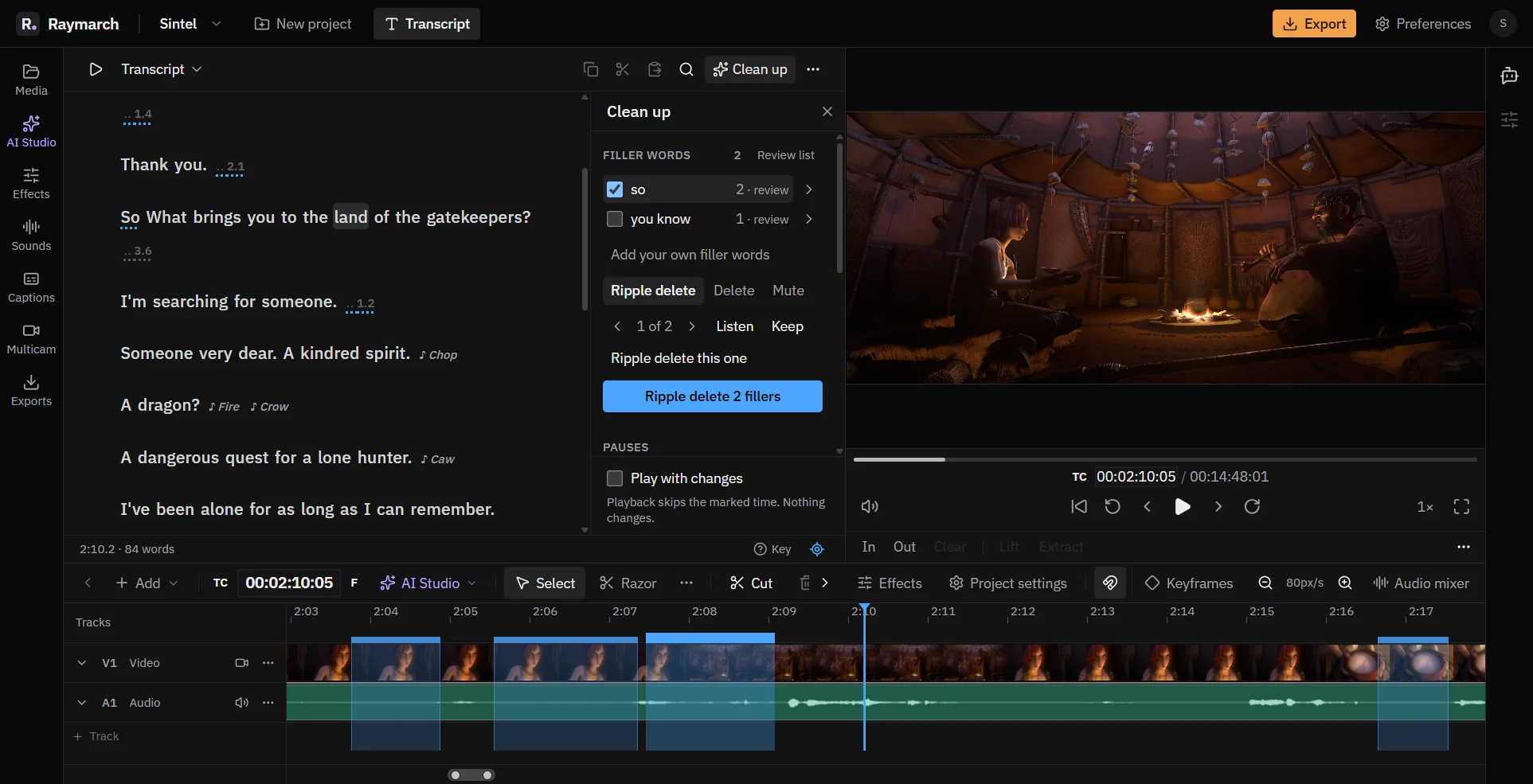
Remove filler words and long pauses
The Clean up panel finds the parts of a talk that you usually cut by hand. You check the results, then apply them.
Pro plan
Start editing with Raymarch Pro
Sign up and choose the Pro plan to use this feature. The timeline editor is free.