Clean up
Remove filler words and long pauses
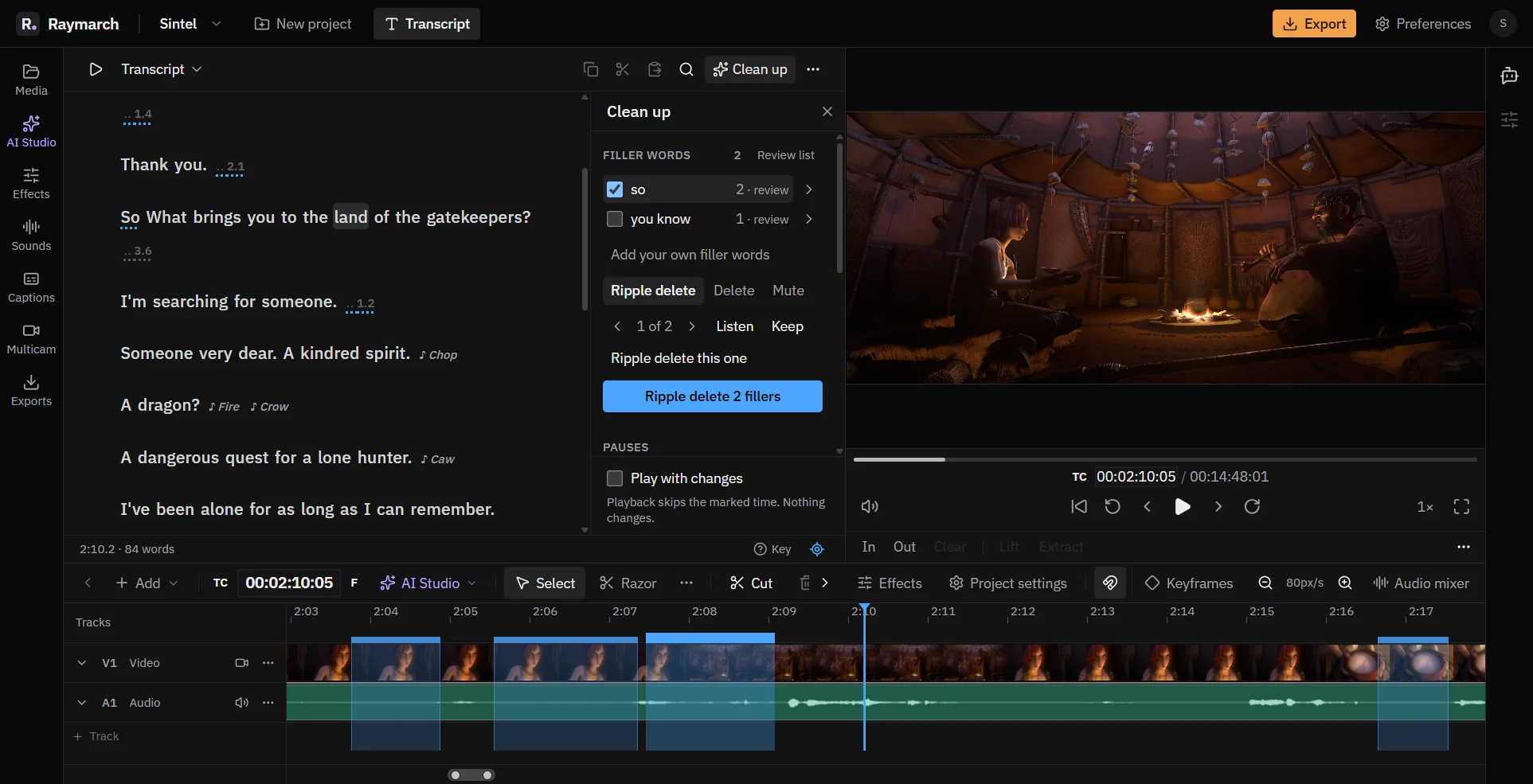
The Clean up panel finds the parts of a talk that you usually cut by hand. You check the results, then apply them.
Pro plan
- 4 kinds
- Filler words, pauses, short replies and retakes.
- You decide
- Nothing changes until you apply.
- One undo
- Each apply is one undo step.
Filler words
Find filler words
Raymarch finds common filler words, such as "um" and "uh". A second list adds words that are fillers only sometimes, such as "like" and "so". This list is off by default.
- Add your own filler words.
- Check each result in the review list.
- Choose Ripple delete, Delete or Mute for the fillers.
Pauses
Make long pauses shorter
Raymarch makes long pauses shorter. It does not remove them fully, so the talk keeps a natural rhythm.
- Longer than: the pause length that Raymarch changes.
- Keep: how much of each pause stays.
- Presets: Light, Normal and Tight.
- Only quiet pauses: skip gaps that have sound in them.
Short replies
Mute short replies from the other speaker
In an interview, the second person often says "yeah" or "right". Raymarch mutes replies of 3 words or fewer from another speaker. This shows when the transcript has 2 or more speakers.
Retakes
Find the lines you said twice
When you say a line again, the AI finds the earlier take. Listen to each one, then keep it or remove it. Retakes use AI credits.
Review
Listen before you apply
Turn on Play with changes. Playback skips the marked time, and nothing changes yet. Clean up all speakers, or one speaker only.
How it works
How to remove filler words from a video
- 01
Transcribe
Transcribe the video.
- 02
Open Clean up
Click Clean up above the transcript.
- 03
Choose what to find
Tick the filler words and set the pause lengths.
- 04
Listen
Turn on Play with changes and listen to the result.
- 05
Apply
Apply the changes in one step.
Use cases
What you can make with it
Talking-head videos
A tighter talk without the ums.
Podcasts
Shorter pauses and muted yeahs.
Lectures
Remove long silences between slides.
First drafts
Find retakes in a long recording.
Specifications
Details
- Finds
- Filler words, long pauses, short replies, retakes
- Filler actions
- Ripple delete, Delete, Mute
- Pause presets
- Light: over 1.5 s to 0.5 s. Normal: 1.0 s to 0.3 s. Tight: 0.6 s to 0.2 s.
- Scope
- All speakers or one speaker
- Undo
- One step for each apply
- Plan
- Pro
Frequently asked questions
Does Raymarch cut automatically?
No. Raymarch shows what it found. You choose what to apply.
Does it remove all silence?
No. It makes long pauses shorter and keeps a short pause, so speech does not sound rushed.
Can I add my own filler words?
Yes. Add them in the Filler words section.
Can I undo a clean up?
Yes. Each apply is one undo step.
Which plan do I need?
Clean up works on the transcript, so it is part of the Pro plan.
Related features
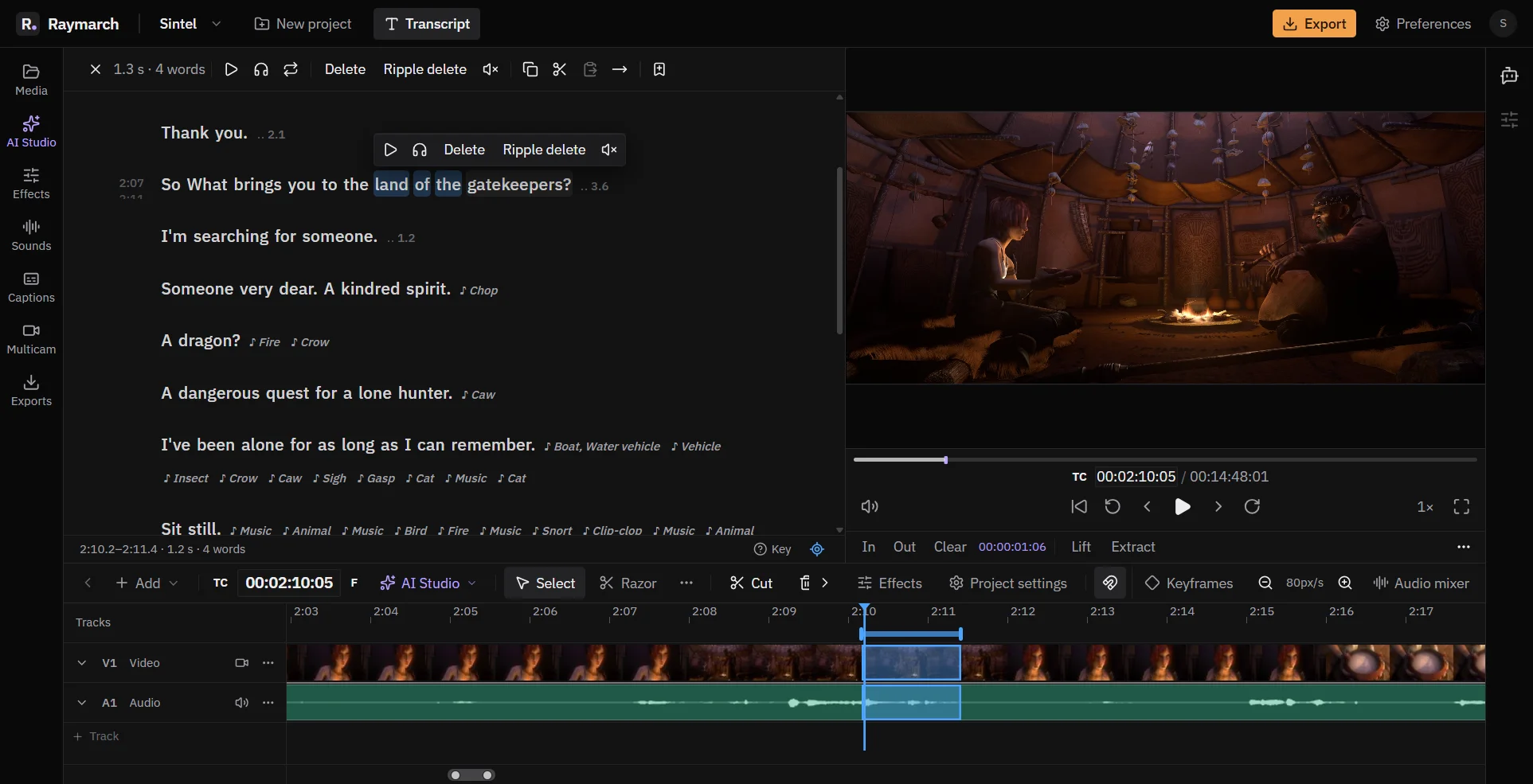
Edit video by editing the transcript
Delete words in the text, and Raymarch cuts the same moments from the video. It works on long recordings from your computer.
Pro plan
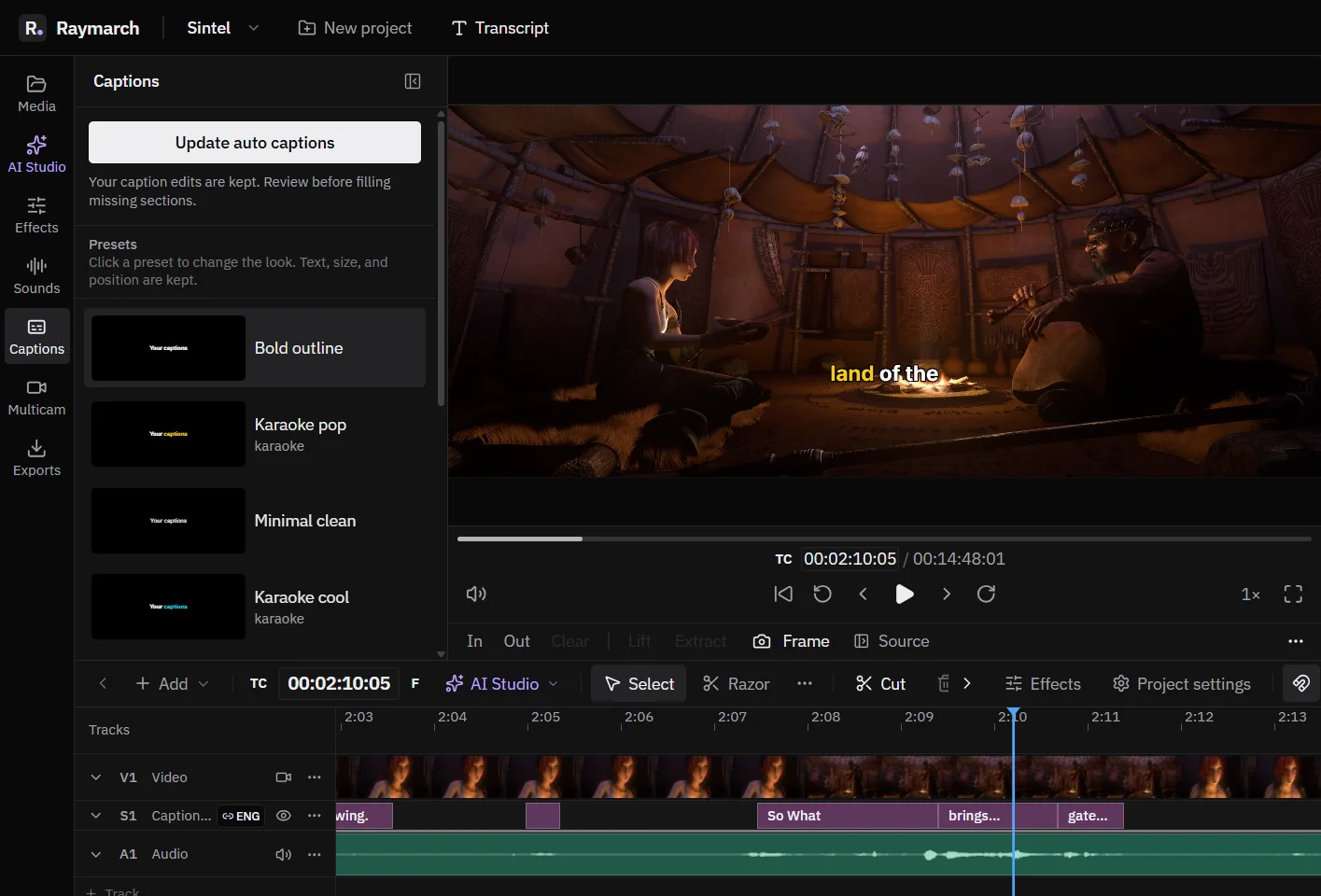
Automatic captions with word highlights
Make captions from the transcript in one step. Style them, animate each word, and export them.
Pro plan
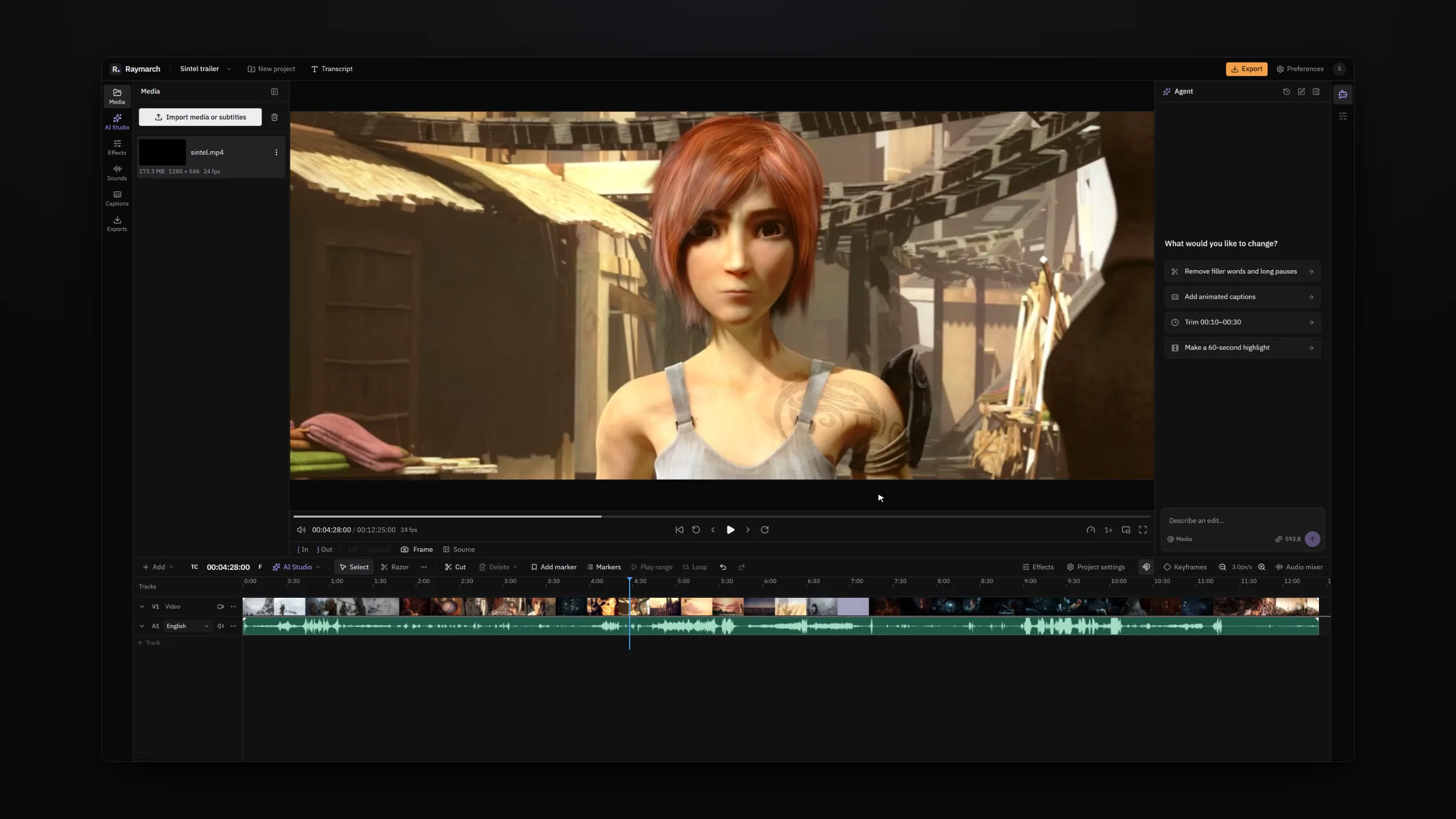
An AI video editing agent that works on your timeline
Tell the agent what to change in plain words. It edits your project one step at a time, and you can undo each step.
Pro plan
Start editing with Raymarch Pro
Sign up and choose the Pro plan to use this feature. The timeline editor is free.