Reel Creator
Turn long videos into vertical reels
Give Raymarch a long video and a short brief. It finds strong moments and makes 9:16 reels that you can edit.
Pro plan
- 1 to 5 reels
- One run makes up to 5 reels.
- 8 to 60 seconds
- About 15, 30 or 45 seconds, or up to 60.
- Editable
- Each reel opens as a normal 9:16 project.
Input
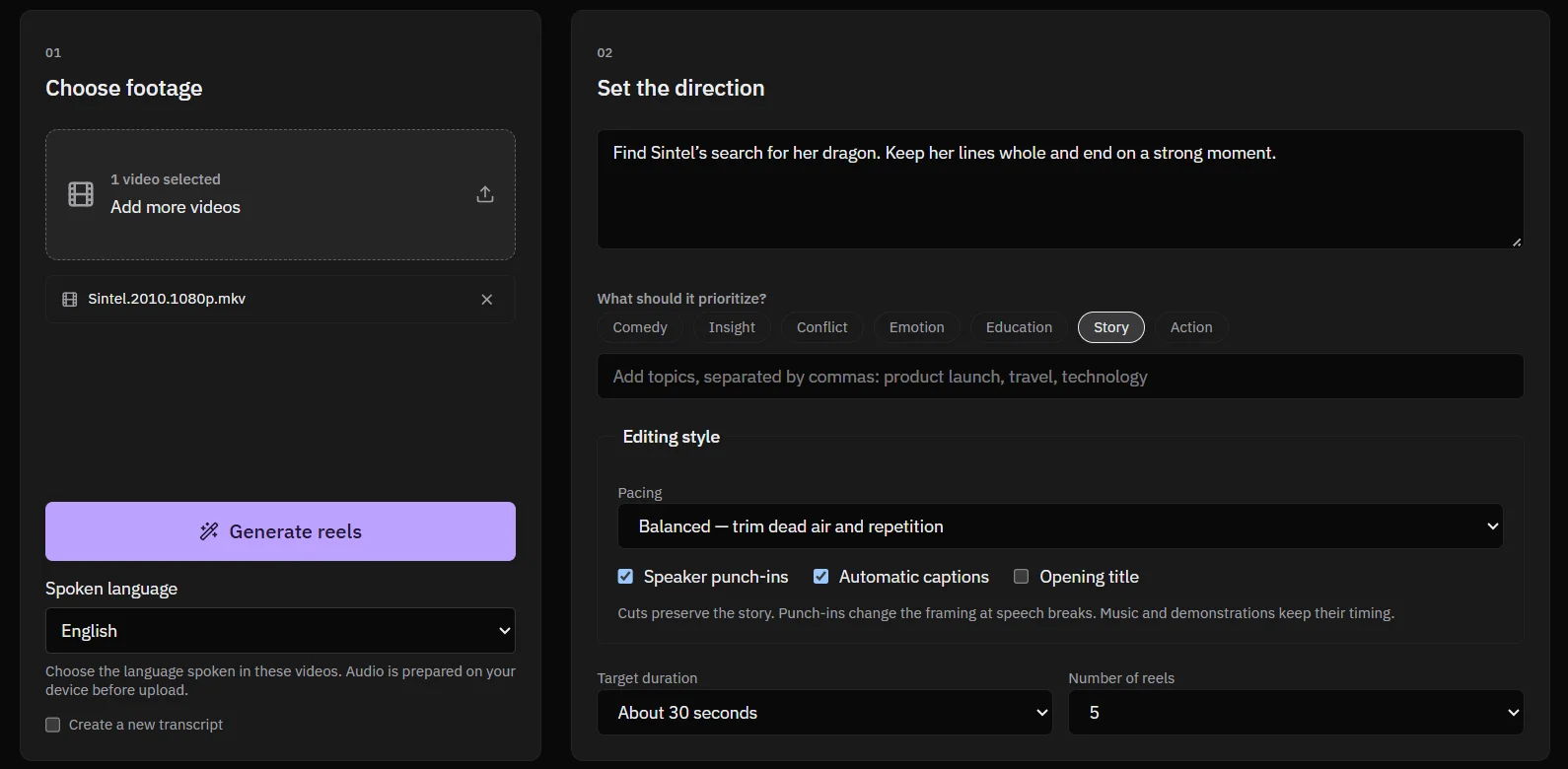
Give it footage and a brief
- One or more videos from your computer.
- The spoken language.
- A brief of up to 1,200 characters. For example: "Find funny exchanges. Leave out the sponsor reads."
- For a file with more than one audio track, the track to use.
How it works
From a long video to finished reels
- It transcribes the video.
- It finds moments that match your brief and your focus.
- It cuts each reel and removes dead air.
- It checks each reel again and fixes weak cuts.
- It reframes each reel to 9:16. It follows faces, and it uses a centre crop when it finds no face.
Direction
Choose the focus and the pacing
- Focus: Comedy, Insight, Conflict, Emotion, Education, Story or Action. You can add your own topics.
- Natural pacing keeps the pauses.
- Balanced pacing removes dead air and repetition.
- Punchy pacing makes speech tighter and adds more camera cuts.
Finish
Captions, punch-ins and an opening title
- Speaker punch-ins change the framing at speech breaks.
- Automatic captions follow the speech.
- An opening title starts the reel.
Edit
Every reel is a real project
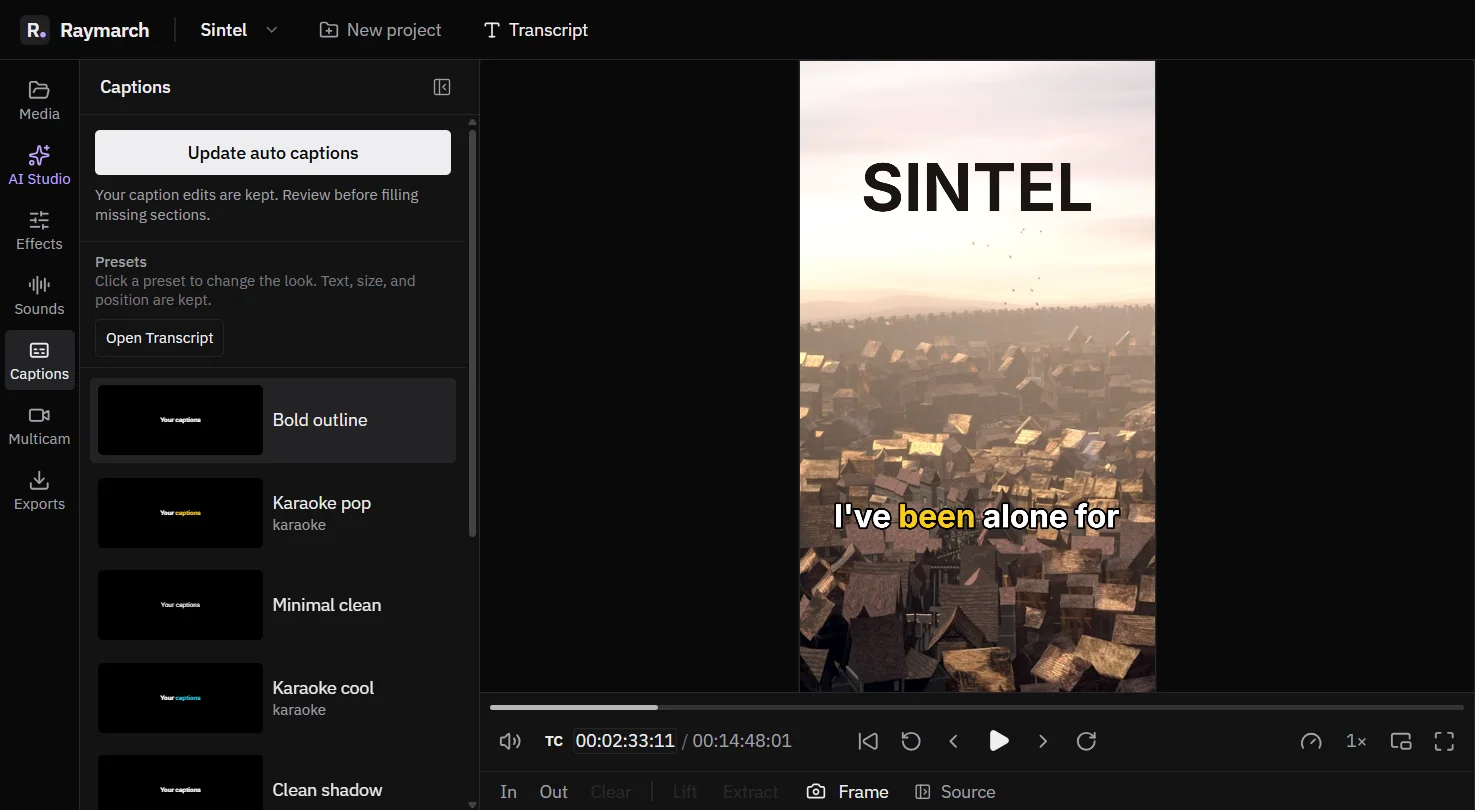
Each reel opens in the editor as its own 9:16 project. Change any cut, caption or frame by hand, or ask the AI agent to change it.
Learn about the AI agentHow it works
How to make reels from a long video
- 01
Choose footage
Open Reel studio and add one or more videos.
- 02
Set the direction
Write a brief, pick a focus and the pacing.
- 03
Set the length
Choose the length and the number of reels.
- 04
Generate and edit
Generate the reels. Open each one in the editor to finish it.
Use cases
What you can make with it
Podcast clips
Turn one episode into several short clips.
Talk highlights
Cut the best answers from a long interview.
Course promos
Make short teasers from a lesson.
Event recaps
Find the strongest moments of a keynote.
Specifications
Details
- Output
- 9:16 vertical projects
- Reel length
- 8 to 60 seconds
- Reels per run
- 1 to 5
- Brief
- Up to 1,200 characters
- Framing
- Follows faces, centre crop as fallback
- Options
- Speaker punch-ins, automatic captions, opening title
- Plan
- Pro
Frequently asked questions
How long can a reel be?
From 8 to 60 seconds.
How many reels does one run make?
From 1 to 5.
Can I edit the reels?
Yes. Each reel opens as a normal project in the editor.
Can I use more than one video?
Yes. Add one or more videos to one run.
Which plan do I need?
Reel Creator is part of the Pro plan.
Related features
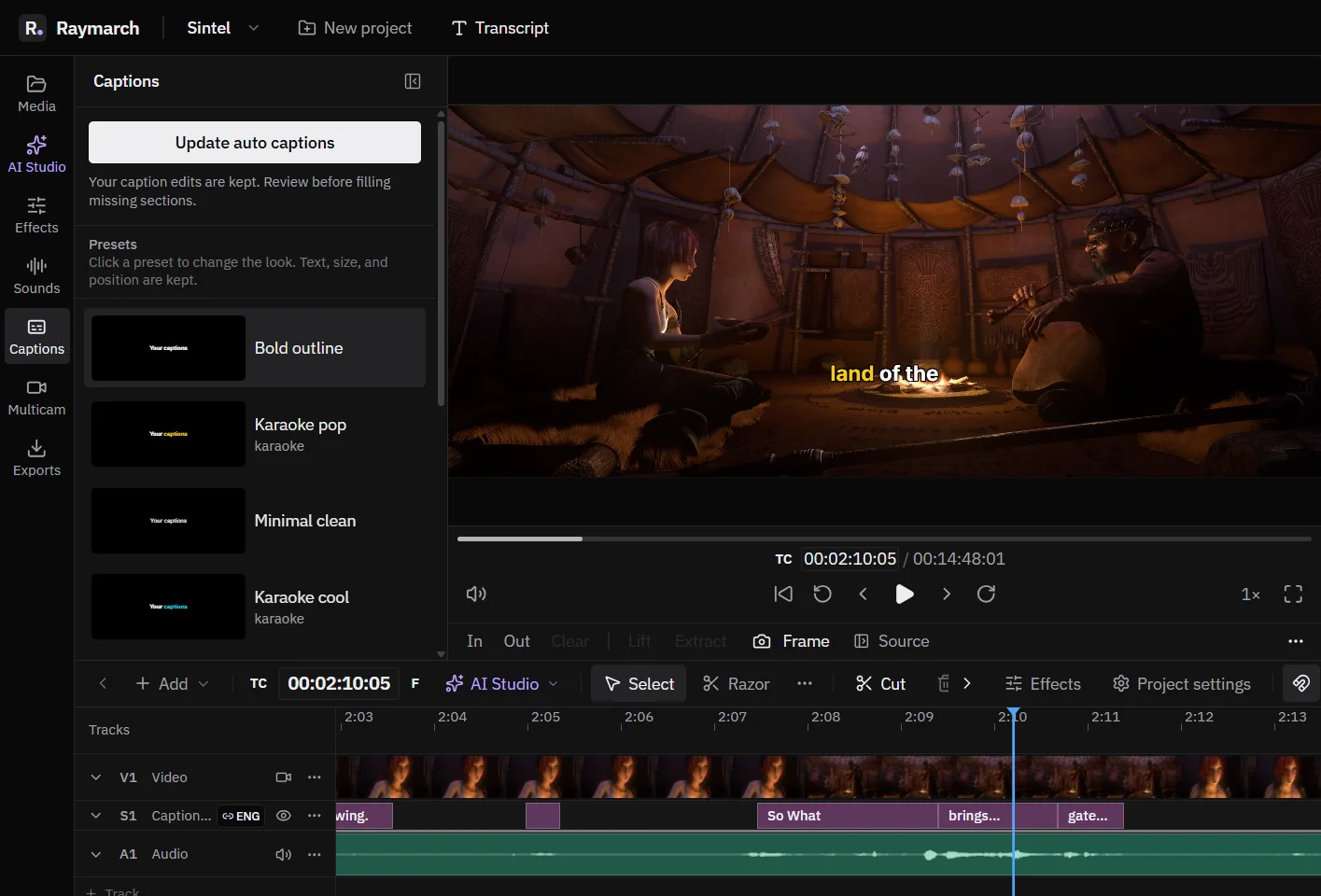
Automatic captions with word highlights
Make captions from the transcript in one step. Style them, animate each word, and export them.
Pro plan
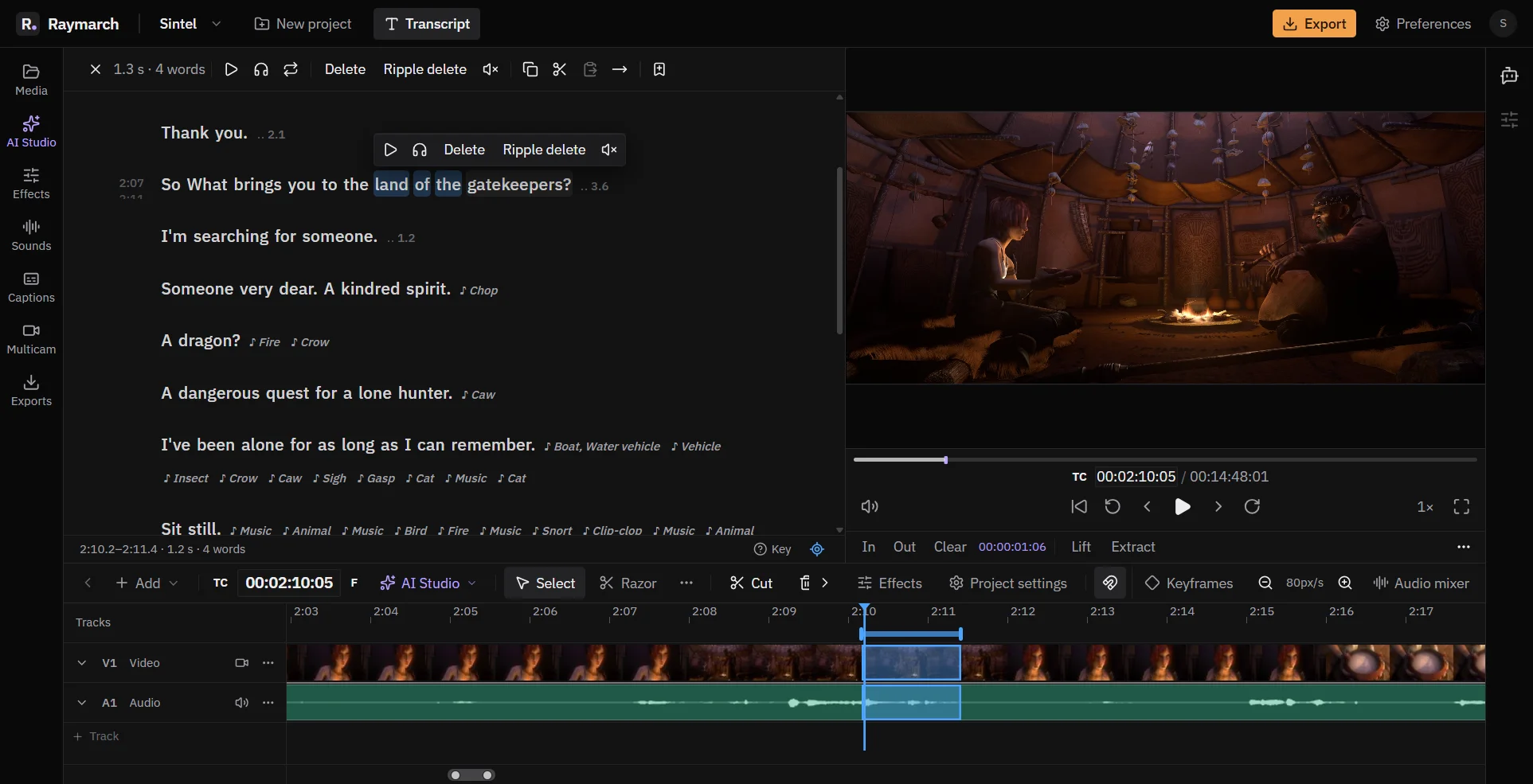
Edit video by editing the transcript
Delete words in the text, and Raymarch cuts the same moments from the video. It works on long recordings from your computer.
Pro plan
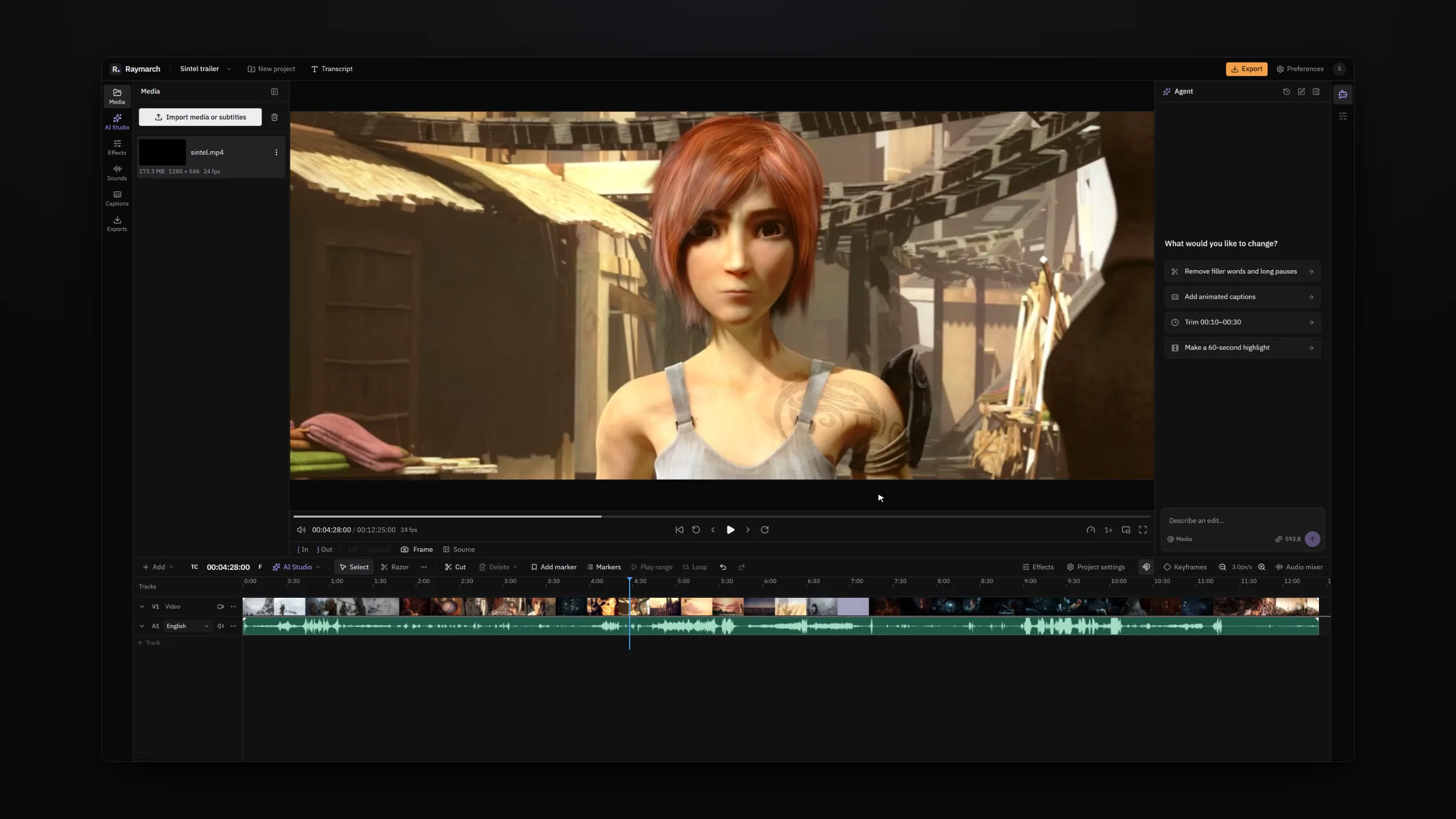
An AI video editing agent that works on your timeline
Tell the agent what to change in plain words. It edits your project one step at a time, and you can undo each step.
Pro plan
Start editing with Raymarch Pro
Sign up and choose the Pro plan to use this feature. The timeline editor is free.